The Hollow Roblox Theme: How to Unlock It, What It Looks Like, and Why Players Love It
Everything about the Hollow Roblox theme — how to unlock it in Settings, what the claw background and new icon look like, and whether Roblox Plus is required.
The Hollow Roblox theme is the spooky seasonal look that Roblox rolled out alongside its Halloween event, and it has quickly become one of the most talked-about cosmetic changes of the year. If you've opened the app and noticed a darker, claw-themed interface, you're not imagining things — and if you haven't, you're probably wondering how to get it. This guide breaks down exactly how the Hollow Roblox theme works, where to find it, what it changes, and what the community is saying about it.
What Is the Hollow Roblox Theme?
The Hollow Roblox theme is a limited-time visual overhaul of the Roblox interface tied to The Hollow, Roblox's Halloween event. Rather than being a game, the theme is a cosmetic layer that changes how the platform itself looks — the background, the accents, and even the app icon on some devices.
Community coverage of the theme exploded almost immediately. Popular creator KreekCraft streamed his live reaction to activating it, and his chat lit up when the claw-themed background appeared on screen. That reaction is a good snapshot of why this matters: Roblox rarely reskins its own interface, so when it does, players pay attention.
| Feature | Standard Roblox Look | The Hollow Roblox Theme |
|---|---|---|
| Background style | Clean, light neutral | Dark, claw-themed backdrop |
| Event tie-in | None | The Hollow Halloween event |
| App icon | Classic Roblox logo | Alternate horror-inspired icon (device dependent) |
| Availability window | Permanent | Limited-time, seasonal |
| Location in app | Default | Settings → Browser preference |
The theme is best understood as part of a broader trend: Roblox has been experimenting with interface customization, letting players swap between looks like the classic theme and this new seasonal one.
How to Unlock the Hollow Roblox Theme
The good news is that unlocking the Hollow Roblox theme doesn't require grinding through games or completing quests. According to community reports and creator walkthroughs, it's a simple settings toggle.
Here's the step-by-step process players have been sharing:
- Open the Roblox app or website and log into your account.
- Go to Settings.
- Navigate to Browser preference (sometimes labeled as theme or appearance depending on your platform).
- Look for The Hollow theme option in the list.
- Select it and confirm to activate.
That's it. The interface should refresh almost instantly, swapping in the claw background and darker palette. If you don't see the option, try closing and reopening the app — several players report that the theme doesn't appear until after a restart.
| Step | Where to Go | What to Look For |
|---|---|---|
| 1 | Account Settings | Gear or profile menu |
| 2 | Browser preference | Appearance/theme section |
| 3 | Theme list | "The Hollow" entry |
| 4 | Confirm selection | Interface refreshes |
| 5 | Restart if needed | Theme appears after reload |
Do You Need Roblox Plus?
This is the question dominating comment sections. During his live reaction, KreekCraft speculated that the Hollow Roblox theme might be gated behind Roblox Plus, the platform's premium subscription. That hasn't been definitively confirmed across all accounts, and availability appears to vary by region and device.
If you can't find the option, check these possibilities first:
- App version — update Roblox to the latest build from your app store.
- Platform differences — mobile, desktop, and browser versions sometimes roll out features on different schedules.
- Account type — some cosmetic features have historically been tied to subscriptions or event participation.
- Event timing — seasonal themes are sometimes removed and re-added during the event window.
Community reports suggest the theme has appeared for free users in some cases, so it's worth checking before assuming you need a subscription.
What the Theme Actually Looks Like
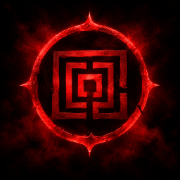
The most striking element of the Hollow Roblox theme is the background. Instead of the usual flat interface, players describe a claw-like graphic layered behind the UI — a detail that caught KreekCraft off guard mid-stream. His reaction ("Bro, it literally has like a claw background") captures the general vibe: it's darker and more atmospheric than anything Roblox has shipped before.
Beyond the background, the theme shifts the overall color palette toward moody, Halloween-appropriate tones. Game thumbnails and text remain readable, but the surrounding chrome takes on a distinctly eerie feel.
| Visual Element | What Changes |
|---|---|
| Background | Claw-themed graphic replaces the standard backdrop |
| Color palette | Darker, horror-inspired accents |
| App icon | Alternate icon on supported devices |
| In-game UI | Unchanged — the theme affects the platform, not games |
One important clarification: the Hollow Roblox theme does not change how individual games look. It's a platform-level skin. So if you're expecting Doors or other horror titles to look different, they won't — though the theme pairs nicely with them aesthetically.
The New App Icon
The theme also comes with a refreshed app icon, which players have been sharing screenshots of. Not everyone sees it right away. KreekCraft noted that his phone still showed the old icon even after activating the theme, and he suspected a device restart might be required for the change to register.
If your icon hasn't updated:
- Force-close the Roblox app completely.
- Restart your phone.
- Check for pending app updates.
- Re-apply the theme in Settings.
Icon behavior varies by operating system, so don't panic if yours lags behind — it's a known quirk, not a bug on your end.
How the Community Is Reacting
Reaction to the Hollow Roblox theme has been overwhelmingly positive, at least among the creators and players who've posted about it. In KreekCraft's stream, chat flooded with "W" reactions as the theme activated, and the creator himself gave it repeated approval — while joking that he wasn't just being nice because a Roblox staff account happened to be watching.
The broader conversation around the theme fits into a larger story about Roblox's interface experiments. Players have been vocal about wanting more customization, and the platform has responded with options like the classic theme and now this seasonal look. The Hollow Roblox theme is arguably the boldest of these experiments so far.
| Reaction Type | Community Sentiment |
|---|---|
| Visual design | Widely praised, especially the claw background |
| Availability | Mixed — some can't find the option |
| Subscription concerns | Frustration over possible Roblox Plus gating |
| Icon update | Confusion over delayed rollout |
Player experience also suggests the theme is best enjoyed on desktop or a larger screen, where the background detail is more visible. On mobile, the effect is subtler.
Tips Before You Activate It
Before you switch to the Hollow Roblox theme, keep a few practical things in mind:
- It's seasonal. Limited-time themes typically revert after the event ends, so enjoy it while it lasts.
- You can switch back. If you prefer the standard look, return to Settings and select your previous theme.
- Check performance. A few players report slightly slower load times on older devices with heavier backgrounds — usually minor, but worth noting.
- Pair it with the event. The theme is designed to complement The Hollow event games, so it's a great excuse to explore the Halloween lineup.
For official details on Roblox events and platform updates, keep an eye on the official Roblox news page, which posts announcements about seasonal features and interface changes.
Is the Theme Worth It?
If you're a fan of Halloween aesthetics or you're already playing through The Hollow event, the answer is an easy yes. It costs nothing (in most reported cases), takes under a minute to enable, and gives your entire app a fresh look. Even if you're not into horror, the claw background is genuinely well-designed — enough that even skeptics in KreekCraft's chat came around.
Frequently Asked Questions
Is the Hollow Roblox theme free? Community reports suggest it can be unlocked for free through Settings, though some players believe Roblox Plus may be required in certain regions. Check your Settings menu first before assuming you need a subscription.
Where do I find the Hollow Roblox theme? Open Settings, go to Browser preference, and look for The Hollow in the theme list. If it's not there, update your app and restart your device.
Does the theme change the app icon? Yes, on supported devices. The icon may take a restart or a full app close to update, and rollout timing varies by platform.
Will the Hollow Roblox theme disappear after Halloween? Most likely. Seasonal themes are typically removed when their event ends, so activate it soon if you want to use it during the event window.
The Hollow Roblox theme is a small change with a big visual payoff — and for a platform that rarely reskins itself, it's worth trying before the season wraps up.
Related Guides
The Hollow Roblox Logo: Full Breakdown of the 2026 Halloween Theme & Icon
Everything about The Hollow Roblox logo — the clawed Halloween icon, how Roblox Plus users can equip the theme, and what the 2026 event includes.
The Hollow Roblox Soundtrack: Every Track, Ambience, and Audio Cue Explained
A complete breakdown of the Hollow Roblox soundtrack, including its ambient loops, chase cues, and how to identify each audio track while you play.
The Hollow Roblox Trailer Explained: Release Date, Games, and What to Expect
Breaking down the Hollow Roblox trailer, the 2026 Halloween event's release date, nine participating games, teaser timeline, and how to prepare.